
Logs now available with new Zero Data Retention (ZDR) controls
copy markdown
Every request you make to Interfaze now shows up as a log entry in the dashboard, so you can see exactly what the model received and returned.
If you'd rather the contents were never written down, the new x-interfaze-zdr header keeps the prompt and response out of storage entirely.
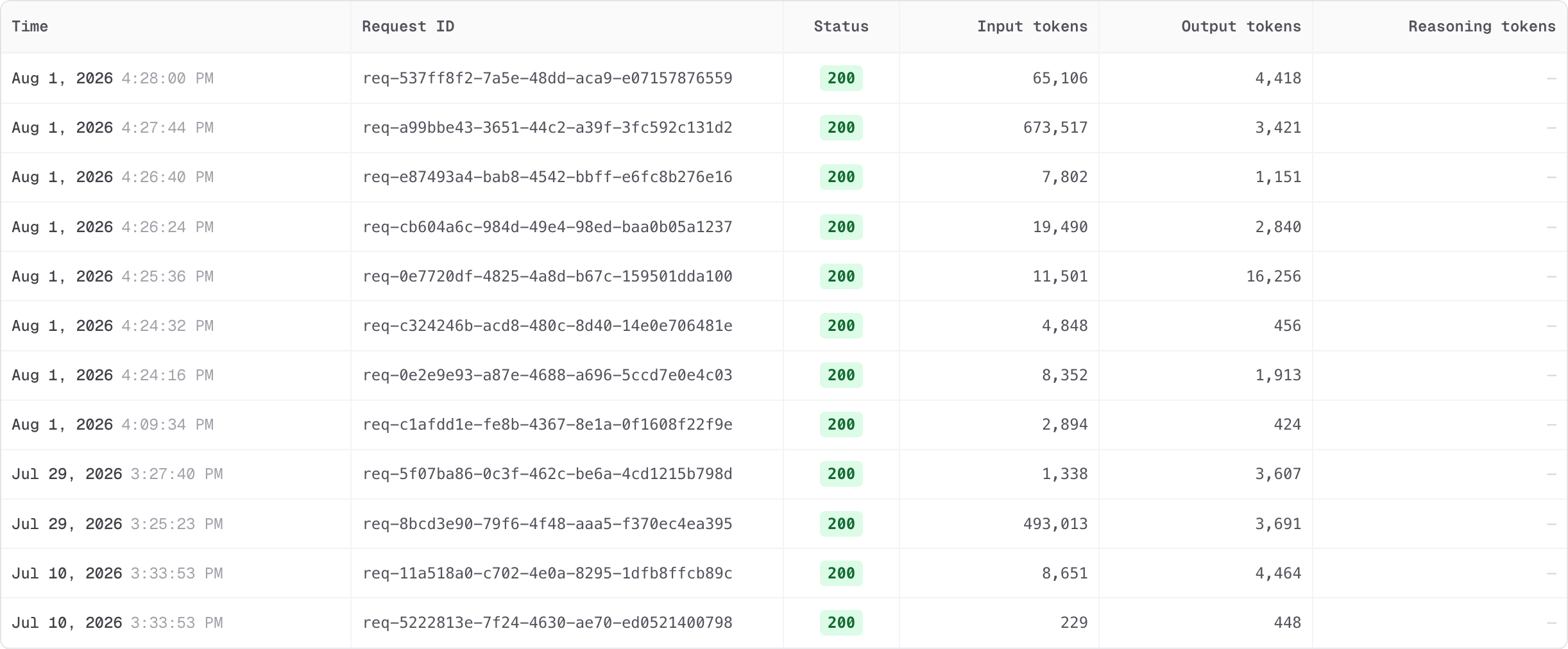
Logging
Debugging a bad extraction used to mean reproducing it locally and adding print statements. Now you open the log for that request and read the actual payload.
The list view gives you one row per request with the time, request ID, status code, and token counts, so you can spot the expensive or failing calls at a glance.
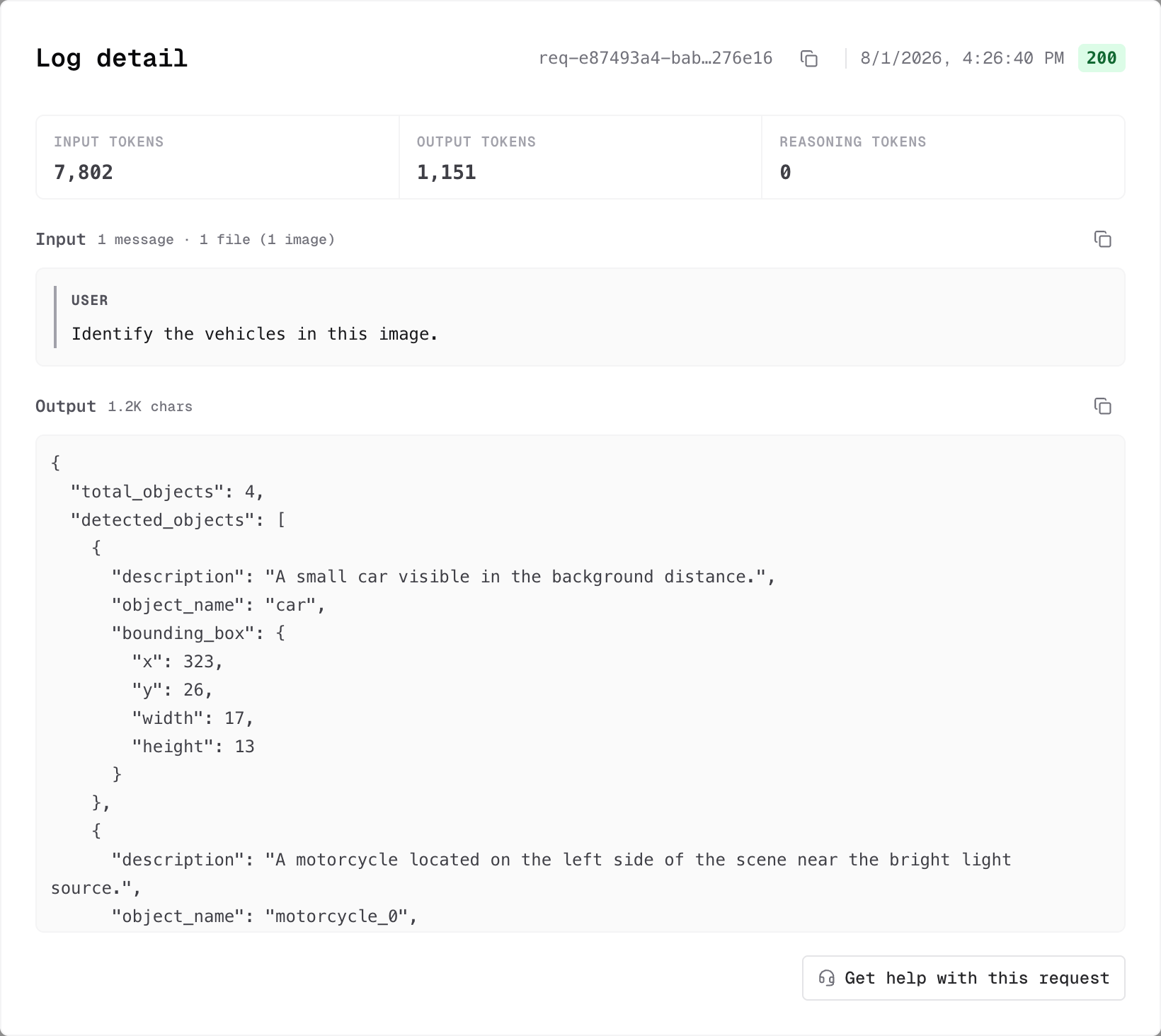
Opening a row expands it into the full picture:
- Input and output token counts, broken out with reasoning tokens
- The input as the model received it, including how many files and images came with it
- The complete output returned
- The request ID and status, ready to copy
There's also a Get help with this request button, which hands the request ID to our team so you don't have to describe the problem from memory.
Logging is on by default and there's nothing to configure.
What we do with logs
Logs exist for debugging and performance work, not training. We do not train on your prompts or responses.
That said, "trust us" is not a security posture, which is why ZDR ships alongside logging rather than after it.
ZDR controls
Zero Data Retention makes the contents of a request ephemeral. The prompt, the response, and any intermediate task output are never written to disk once the request completes.
The log entry itself survives, minus the payload. You still get the request ID, status, timestamp, and token counts, so volume and spend stay auditable even for your most sensitive traffic.
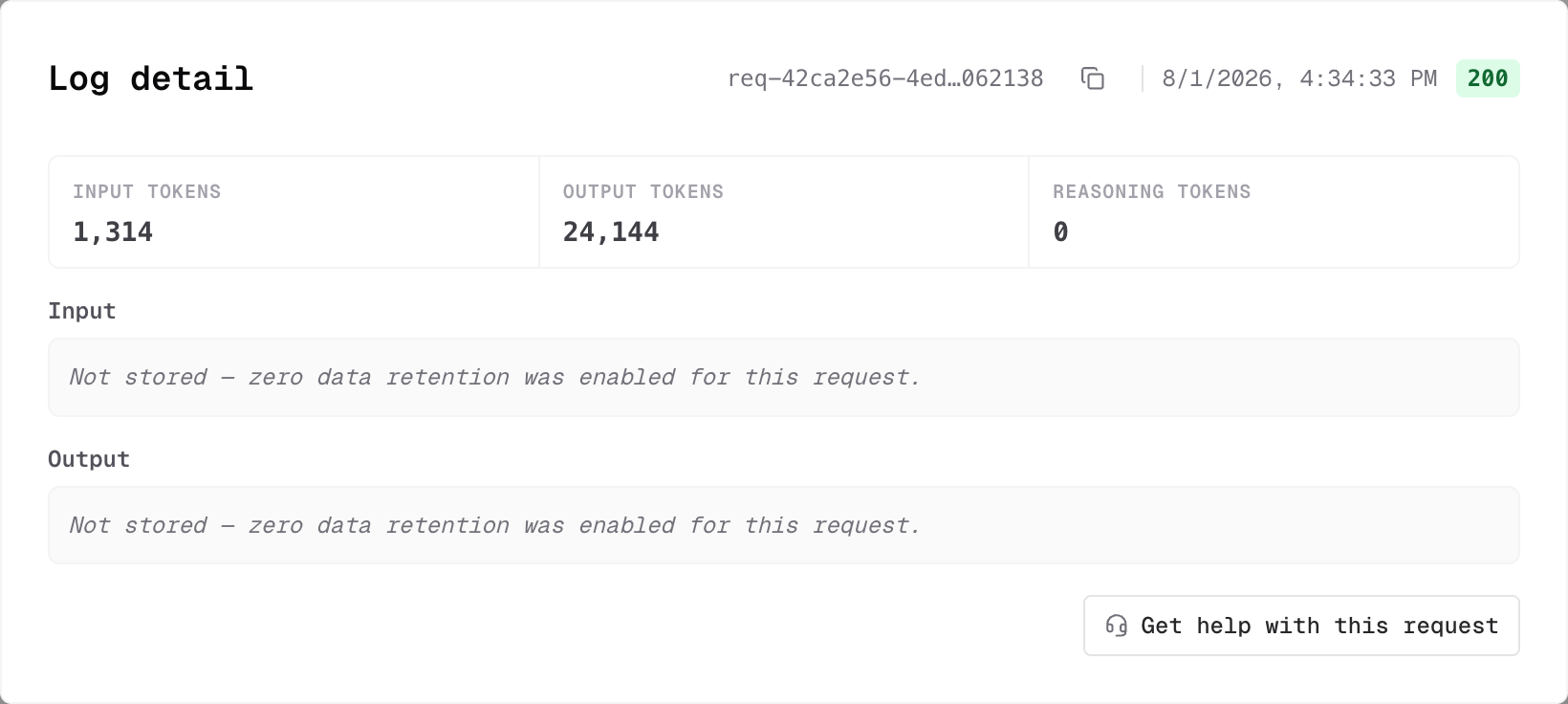
Here's what changes:
| Behaviour | Default | ZDR on |
|---|---|---|
| Prompt and response | Stored | Never written |
| Intermediate task output | Stored | Never written |
| Request ID, status, timestamp | Kept | Kept |
| Token counts | Kept | Kept |
| Used for training | No | No |
Turning ZDR on
Set the header on any request:
x-interfaze-zdr: truezdr: true works as a shorthand for the same thing. If you use the Interfaze SDK, set zdr: true when creating the client and the header is added for you. With any other SDK, set it as a default header so every request carries it.
Interfaze SDK
Vercel AI SDK
LangChain SDK
import { Interfaze } from "interfaze";

const interfaze = new Interfaze({
  apiKey: process.env.INTERFAZE_API_KEY,
  zdr: true, // no prompts, responses, or logs are retained
});
Per request instead of per client
Most applications have a small number of sensitive paths and a large number of ordinary ones. Setting the header on the client makes every call ephemeral, which is more than you usually want.
Interfaze SDK
import { Interfaze } from "interfaze";

const interfaze = new Interfaze();

// Logged like any other request
await interfaze.chat.completions.create({
  messages: [{ role: "user", content: "Summarize the latest AI news" }],
});

// Same client, nothing retained
await interfaze.chat.completions.create(
  {
    messages: [
      {
        role: "user",
        content: [
          { type: "text", text: "Extract the details from this ID" },
          {
            type: "image_url",
            image_url: { url: "https://r2public.jigsawstack.com/interfaze/examples/id.jpg" },
          },
        ],
      },
    ],
  },
  { headers: { "x-interfaze-zdr": "true" } },
);
In TypeScript the same options argument works on interfaze.tasks.*, so a one-off OCR run can be ephemeral without touching the rest of your traffic.
- Open your logs in the dashboard
- Read the ZDR docs
- See every supported header in the Chat Completion API reference
- Join the Discord