
OCR improvements, Gemini 3.5 benchmarks, STT word level accuracy, caching and more
copy markdown
Here's what we shipped this week.
High density PDF and image resolution handling
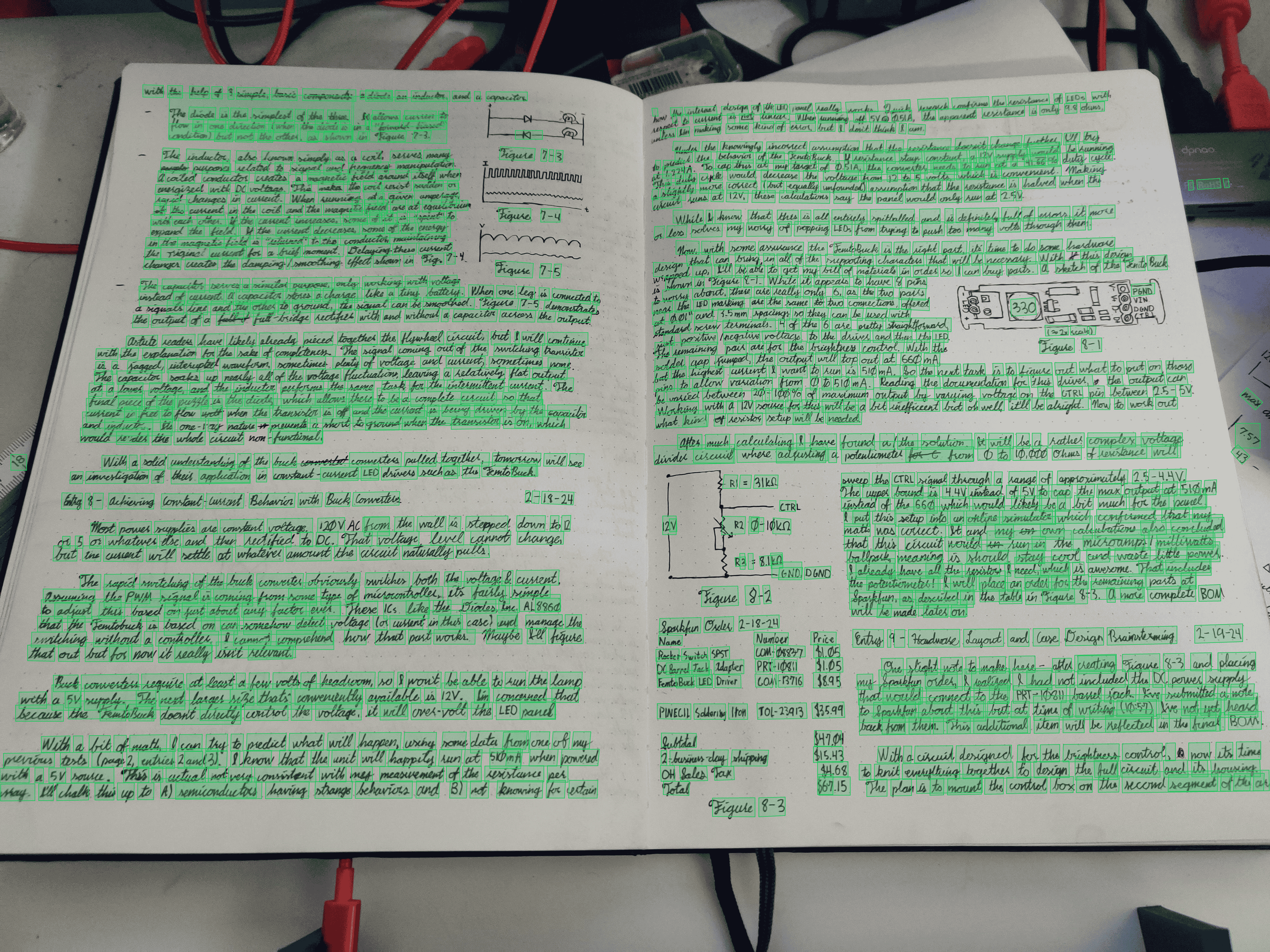
High DPI PDFs and images can easily overload GPUs having to load them into memory.
We've fixed this by smart normalization preprocessing documents and images to a standardize scale without dropping performance and now with the ability to handle larger files.
Check it out: https://interfaze.ai/docs/vision/ocr
Page selection on OCR documents
You can now easily prompt the pages you want to process for OCR tasks even if you pass in a large 50 page PDF.
Gemini 3.5 benchmarks added
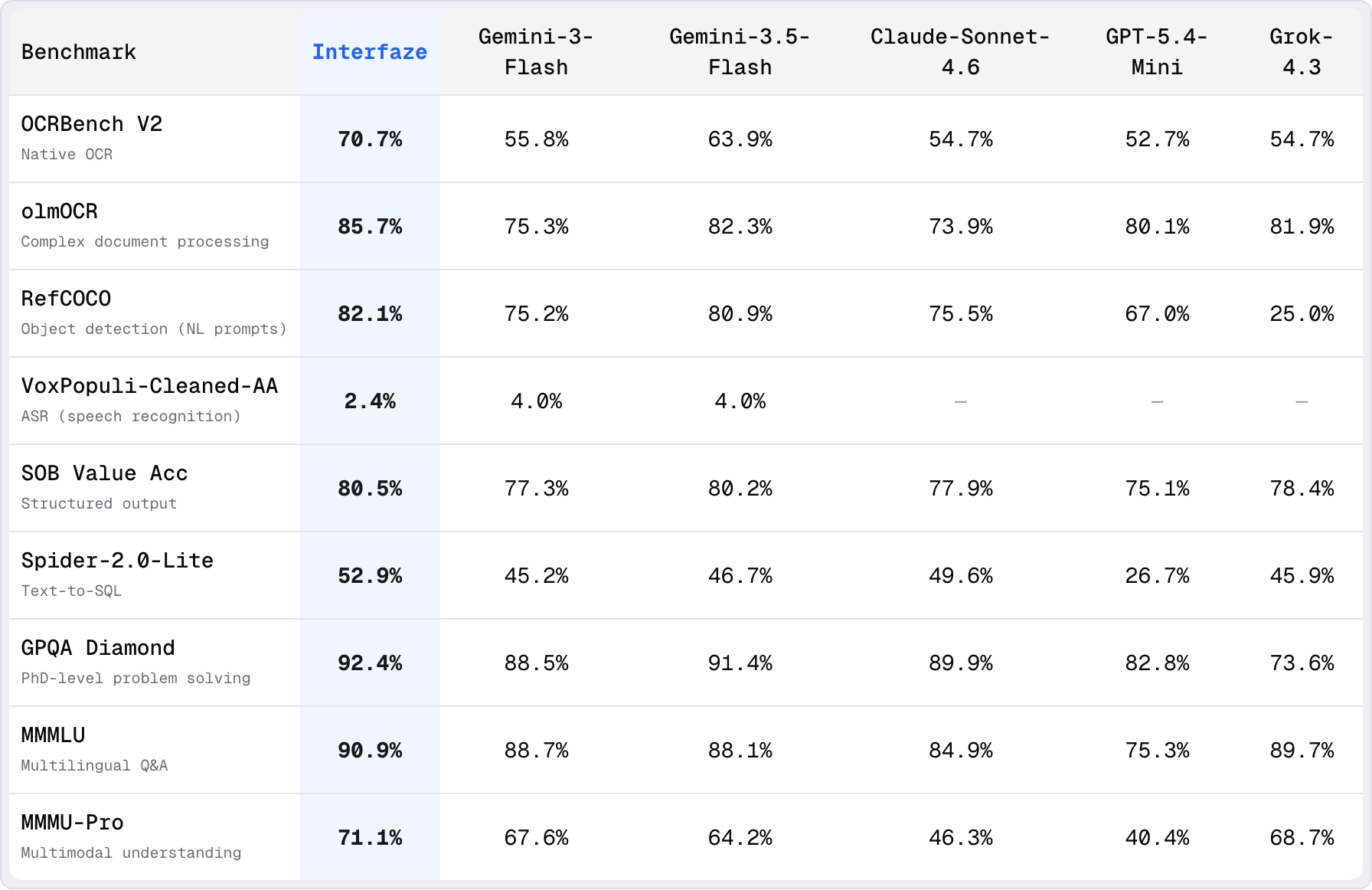
We've added a newly released flash series model Gemini 3.5 flash to the benchmarks.
While it's an improvement from Gemini 3 flash, it's 3x the cost leaning closer to Pro tier models.
Interfaze continues to take the lead across all 7 benchmarks.
Check out the full benchmarks: https://interfaze.ai/leaderboards
STT word level time stamps
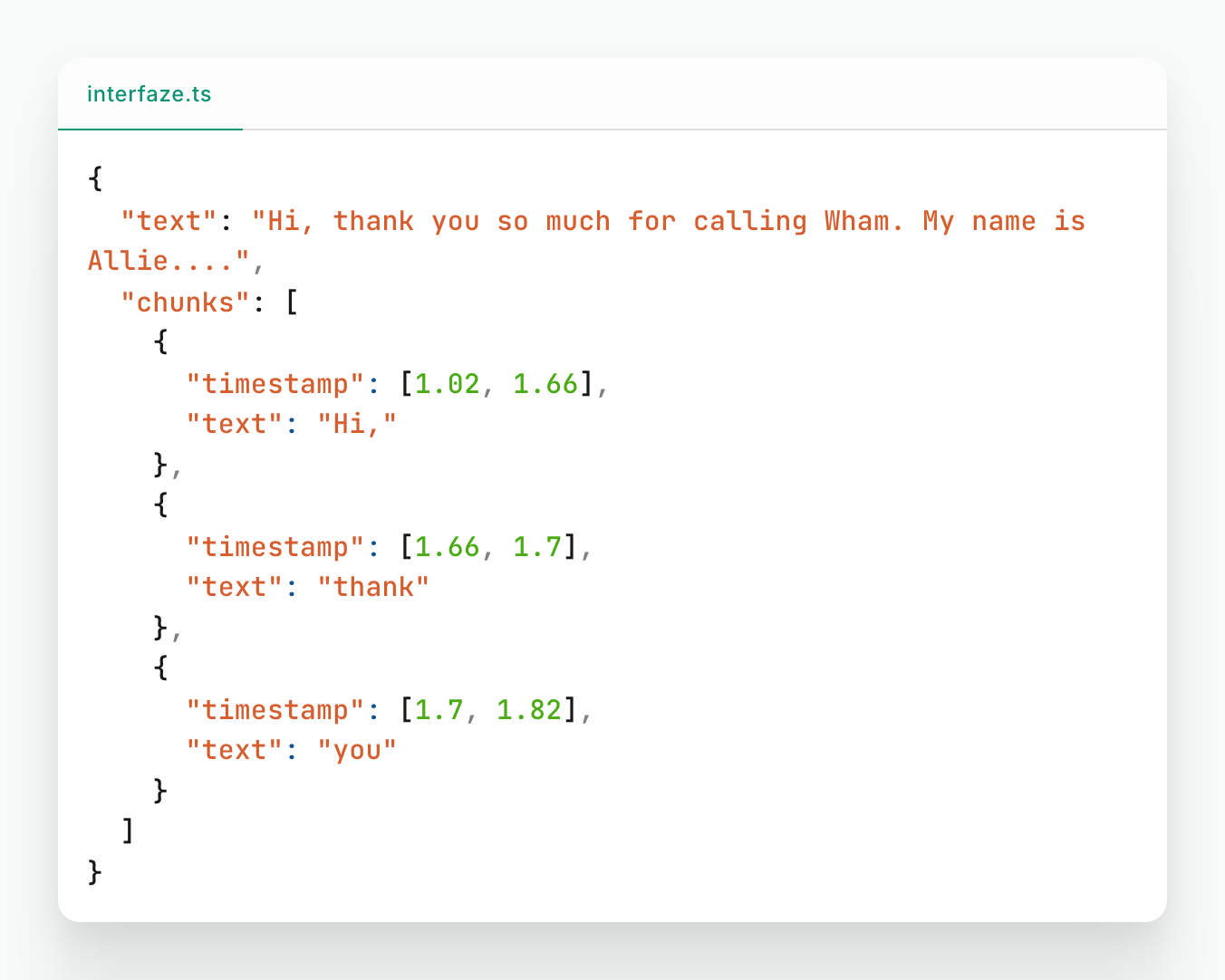
Prompt the model asking for word level timestamps for higher granularity transcriptions.
Check it out here: https://interfaze.ai/docs/audio/speech-to-text#word-level-timestamp#word-level-timestamp
Improve file upload speed
Binary/Base64 files now upload faster on API calls.
Check out all the different file handling methods: https://interfaze.ai/docs/handling-files
Improved caching for faster response
Caching has been improved significantly on pre-processing tasks.
For example running the same image twice once for OCR and another for object detection, the image would need to be processed twice, either compressed or normalized.
Now a big part of pre-processing is cached making it faster and slightly cheaper on multiple runs.
Improved audio language detection
Audio language detection now has higher accuracy based on accents and other tonality attributes.
Try it with STT: https://interfaze.ai/docs/audio/speech-to-text
Coming soon:
- Better deep search capabilities
- Improved GUI detection speed
- Improved Object detection granularity
That's it for this week!
Best, Yoeven CEO, interfaze.ai